
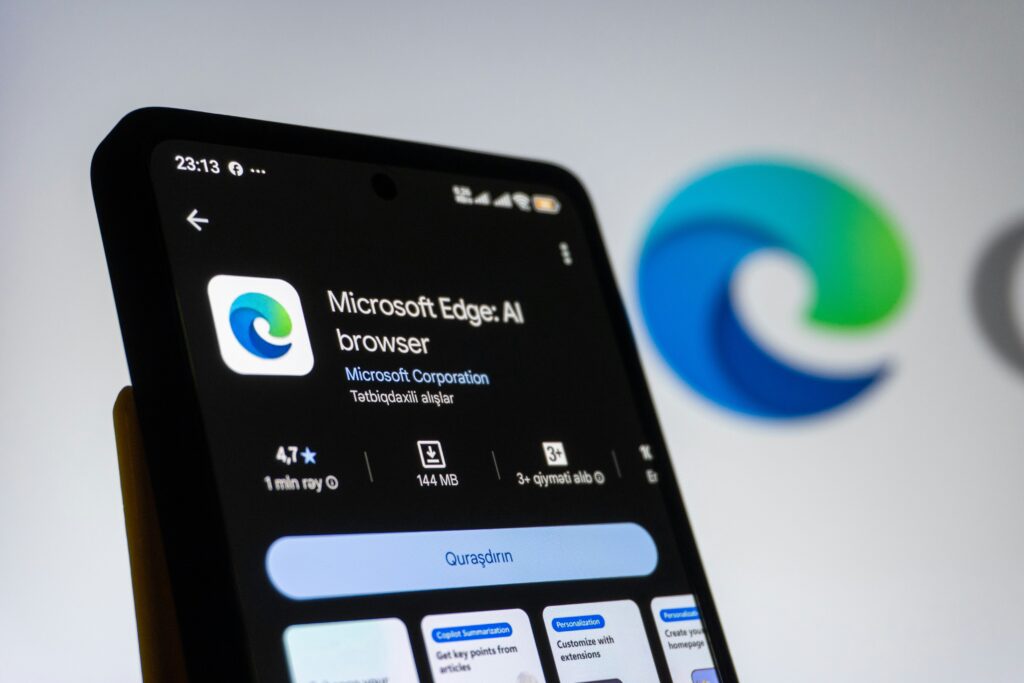
Artificial intelligence has transformed how people work, learn, and create. One of the most important AI innovations is Microsoft Copilot, an intelligent assistant designed to improve productivity across Microsoft products and services. Whether you’re writing documents, analyzing data, generating code, or managing emails, Microsoft Copilot helps complete tasks faster using advanced AI.
This guide is based on industry-recognized AI research, educational resources, and current technology developments. It explains Microsoft Copilot in simple language, making it suitable for beginners, professionals, students, and businesses interested in AI-powered productivity.
Featured Snippet
Microsoft Copilot is Microsoft’s AI-powered assistant that helps users write content, analyze information, answer questions, generate images, create presentations, write code, and automate everyday tasks. It combines large language models (LLMs) with Microsoft services such as Microsoft 365, Windows, GitHub, and Azure to deliver intelligent assistance while respecting organizational security and permissions.
Table of Contents
- What Is Microsoft Copilot?
- How Microsoft Copilot Works
- Key Features
- Microsoft Copilot in Business
- Microsoft Copilot Across Industries
- Benefits and Limitations
- Future of Microsoft Copilot
- Best AI Tools from Microsoft
- How Beginners Can Start
- Frequently Asked Questions
- Disclaimer
- Final Thoughts
What Is Microsoft Copilot?
Microsoft Copilot is an AI assistant developed by Microsoft to help users perform everyday digital tasks more efficiently. It uses powerful large language models together with Microsoft Graph and cloud technologies to understand requests, generate responses, summarize information, and assist with creative and technical work.
Unlike a traditional chatbot, Microsoft Copilot works directly inside applications people already use, including Word, Excel, PowerPoint, Outlook, Teams, Windows, Edge, GitHub, and Azure. This integration allows users to complete work without constantly switching between different tools.
For example, Copilot can draft a professional email, summarize a lengthy meeting, create a PowerPoint presentation from a document, analyze spreadsheet data, or generate programming code within seconds.
How Microsoft Copilot Works
Microsoft Copilot combines advanced AI models, natural language processing, machine learning, and Microsoft’s cloud infrastructure. When a user submits a prompt, the AI interprets the request, understands context, retrieves relevant information where permitted, and generates a useful response.
In Microsoft 365, Copilot can securely use data such as emails, calendars, documents, and meeting notes that the user already has permission to access. This enables personalized assistance while maintaining enterprise security and compliance controls.
The system continuously improves through AI research, model updates, and user feedback, making responses increasingly accurate and useful over time.
Key Features of Microsoft Copilot
Microsoft Copilot offers a wide range of capabilities, including:
- Writing reports, emails, and articles.
- Summarizing long documents and meetings.
- Creating PowerPoint presentations.
- Analyzing Excel spreadsheets.
- Answering complex questions.
- Generating images from text prompts.
- Assisting software developers with code.
- Automating repetitive workplace tasks.
- Improving collaboration in Microsoft Teams.
- Helping users search information more efficiently.
These features help reduce repetitive work and allow users to focus on higher-value activities.
Microsoft Copilot in Business
Businesses increasingly rely on Microsoft Copilot to improve productivity and decision-making. Employees spend less time creating routine documents and more time solving business problems.
Marketing teams use Copilot to generate campaign ideas and social media drafts. Finance departments summarize reports and analyze trends. Human resources teams create job descriptions and onboarding materials. Customer service representatives draft responses faster while maintaining consistency.
Software developers benefit from GitHub Copilot, which suggests code, explains programming concepts, identifies potential bugs, and accelerates software development.
Microsoft Copilot Across Industries
Healthcare professionals use Copilot to summarize clinical documentation, organize medical notes, and reduce administrative workloads while supporting healthcare workflows.
Educators use Copilot to prepare lesson plans, quizzes, presentations, and learning materials. Students benefit from explanations, research assistance, and writing support while still applying critical thinking.
Financial organizations use Copilot to analyze reports, summarize market information, automate repetitive documentation, and improve productivity without replacing professional judgment.
Cybersecurity teams can use Copilot to investigate alerts, summarize incidents, identify potential threats, and accelerate security operations through AI-assisted analysis. also learn more about Github copilot click HERE
Benefits of Microsoft Copilot
Microsoft Copilot offers several important advantages:
- Saves significant time on repetitive tasks.
- Improves workplace productivity.
- Enhances creativity through brainstorming assistance.
- Supports better collaboration across teams.
- Makes complex information easier to understand.
- Helps developers write better code.
- Assists data analysis with natural language prompts.
- Reduces manual administrative work.
- Integrates seamlessly with Microsoft applications.
- Continuously improves through AI advancements.
Limitations and Challenges
Although Microsoft Copilot is powerful, it has limitations. AI-generated responses may occasionally contain inaccuracies or outdated information. Users should verify important facts before making business, financial, legal, or medical decisions.
Privacy, security, responsible AI use, and transparency remain important priorities. Organizations should establish governance policies, educate employees about AI limitations, and ensure human oversight for critical tasks.
Future of Microsoft Copilot (2026)
The future of Microsoft Copilot looks promising as AI becomes increasingly integrated into everyday work. Future improvements are expected to include better reasoning, stronger multimodal capabilities, deeper business automation, enhanced personalization, and broader integration across Microsoft’s products and cloud services.
As AI models continue evolving, Microsoft Copilot is likely to become an even more capable digital assistant that helps individuals and organizations work smarter while supporting responsible AI practices.
Best Microsoft AI Tools
Alongside Microsoft Copilot, Microsoft offers several AI-powered solutions:
- Microsoft 365 Copilot
- GitHub Copilot
- Microsoft Copilot in Windows
- Microsoft Copilot Studio
- Azure AI
- Microsoft Designer
- Azure AI Foundry
Together, these tools support productivity, software development, business automation, content creation, and enterprise AI solutions.
How Beginners Can Start Using Microsoft Copilot
Beginners should start by learning prompt writing. Clear and specific instructions usually produce better results than vague requests. Experiment with drafting emails, summarizing documents, creating presentations, generating ideas, or analyzing simple spreadsheets.
Learning basic AI concepts such as machine learning, large language models, prompt engineering, and responsible AI will help users make better use of Copilot’s capabilities.
Frequently Asked Questions
What is Microsoft Copilot?
Microsoft Copilot is an AI-powered assistant that helps users complete tasks across Microsoft applications using natural language.
Is Microsoft Copilot free?
Some Copilot features are available for free, while advanced capabilities require eligible Microsoft subscriptions or business plans.
Can Microsoft Copilot write documents?
Yes. It can draft reports, emails, articles, presentations, and other business documents.
Does Microsoft Copilot replace employees?
No. It is designed to assist people by improving productivity rather than replacing human expertise and decision-making.
Can developers use Microsoft Copilot?
Yes. GitHub Copilot helps programmers write, explain, and improve code more efficiently. check more on amazon and get the cheapest Prompt playbook HERE
Disclaimer
Technology evolves rapidly, and AI capabilities continue to improve. Features, pricing, integrations, and availability may change over time. Readers should verify important information through official Microsoft documentation and trusted technology sources. This article is intended for educational purposes only and should not be considered professional technical, legal, financial, or business advice.
Final Thoughts
Microsoft Copilot represents one of the most significant advances in workplace AI, combining powerful language models with the tools millions of people already use every day. From writing and coding to analyzing data and improving collaboration, it helps individuals and organizations save time while enhancing productivity. As AI continues to evolve, understanding how Microsoft Copilot works will become an increasingly valuable skill. By learning its capabilities, recognizing its limitations, and using it responsibly, beginners and professionals alike can confidently embrace the next generation of AI-powered productivity.